
WAV to MP3 Converter Online
Superior Output Quality on Pro Audio Converter
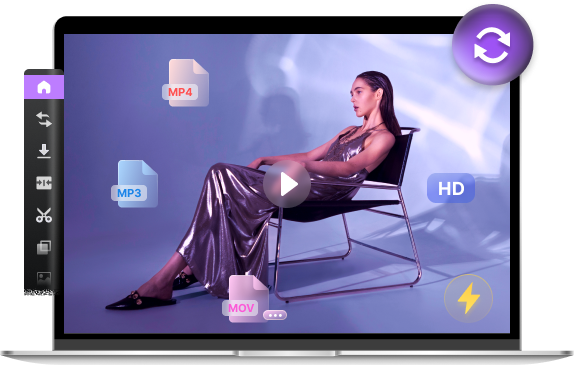


- Convert/compress files between 300+ formats
- Enhance video quality, trim, and crop video
- Save HD videos and music from 1000+ sites
Convert WAV to MP3 Online for Free
WAV is a lossless audio format that provides excellent sound quality but often results in massive file sizes that aren't ideal for mobile storage or sharing. If you have high-fidelity WAV tracks and need to convert them to a more versatile MP3 format, how do you do it quickly? Our online WAV to MP3 converter is your perfect choice! Simply upload, convert, and enjoy your music anywhere.
How to Convert WAV to MP3?
-

Step 1. Upload WAV Audio
Select the WAV file you wish to transform by clicking the "Upload File" button or simply dragging it into the conversion area.
-

Step 2. Set WAV to MP3
Choose MP3 as your target output format from the menu and click the "Convert" button to start the instant processing.
-

Step 3. Save MP3 File
Once the WAV to MP3 conversion is finished, click on the "Download" button to save your high-quality MP3 file to your device.
Amazing Feature of WAV to MP3 Converter
-
Free WAV to MP3 Downloads
Our free WAV to MP3 converter allows you to upload and convert WAV to MP3 at zero cost. Experience lightning-fast processing and downloading as many converted WAV to MP3 files as you want without any hidden subscriptions or fees.
-
Secure & Private Conversion
We value your data security. Our WAV to MP3 converter is protected by high-level SSL encryption, and there are no ads during the conversion. The most important thing is all files will be permanently deleted from servers within 2 hours.
-
No Installation Required
No need to download software or plugins. This WAV to MP3 converter is web-based, allowing you to process audio files directly on your Chrome, Safari, or Edge browser on any device. All you need is a stable internet connection and files to convert.
FAQ
-
How to convert WAV to MP3 for free?
You can easily convert WAV to MP3 using our free WAV to MP3 converter. Simply upload your WAV file, choose MP3 as the output format, and click "Convert." Our cloud servers handle the high-bitrate processing, allowing you to compres audio file into MP3 at zero cost.
-
Is it safe to convert WAV to MP3?
Yes, your privacy is fully protected. Our WAV to MP3 converter utilizes SSL encryption to secure your data during the upload and download process. Furthermore, all uploaded WAV and converted MP3 files are automatically deleted from our servers within 2 hours to ensure safety.
-
Do I need to install any software to convert WAV to MP3?
No installation is required. This WAV to MP3 converter is a 100% web-based tool that works directly in your browser. Whether you are using Windows, Mac, or a mobile device, you can change your audio format online without downloading any bulky plugins.
-
Is WAV better quality than MP3?
Yes, WAV typically offers better audio quality because it is an uncompressed, lossless format that contains all the original sound data. In contrast, MP3 is a compressed format designed to reduce file size, which involves some loss of audio data. However, by using our high-bitrate WAV to MP3 converter, you can create MP3 files that sound nearly identical to the original WAV while saving significant storage space.
More Popular Conversions
Rate Us Now!
If you like our WAV to MP3 converter, please give us 5 stars.
reviews
Last updated: 2026-03-06
